CarX Drift Racing 2 • Tuning Hub

Car Tuning & Setup Guide

Fine-tune every aspect of your car in CarX Drift Racing 2 to match your drifting style. From visual mods to deep suspension and powertrain adjustments, this page explains how each change transforms your handling, speed, and angle on track.

Introduction to Car Tuning

Car tuning in CarX Drift Racing 2 is the art of transforming a stock car into a tailored drift machine. Every slider you move and number you adjust influences how your car initiates a slide, holds angle, and transitions between corners.

Proper tuning affects three core areas: handling (how quickly the car reacts to your inputs), speed (how you accelerate and carry momentum), and style (the smoothness and angle of your drifts). Whether you prefer high-angle show drifts or consistent competitive lines, a focused setup makes the difference between unstable spins and predictable, flowing runs.

Use this page as a reference while you experiment in the garage: make one change at a time, test on a familiar track, and refine until your car feels like an extension of your driving style.

Tuning Workflow Checklist

  • 1. Pick your car and track Use a track you know well for comparison.
  • 2. Start from a base preset Choose stock or a stable preset before fine-tuning.
  • 3. Adjust one category at a time Suspension, then tires, then powertrain.
  • 4. Save versions Create separate setups for practice and competitions.

Visual Tuning Overview

Visual tuning in CarX Drift Racing 2 lets you build a signature look for every car. While cosmetics do not directly change physics, your appearance on track influences how other drivers perceive your style and can even help you feel more connected to your setup.

In the garage you can equip body kits with bumpers, side skirts, fenders, spoilers, and diffusers that reinforce the drifting aesthetic. Combine them with vinyls, decals, and liveries to design competition-style wraps or clean street builds. Fine-tune paint finishes (gloss, matte, metallic) and color accents on wheels, mirrors, and accessories.

Wheel customization plays a big role in stance. Choose wheel models, sizes, and offsets that fit your kit and adjust ride height in the suspension menu to achieve a planted, aggressive look without causing excessive clipping in wheel wells.

Once you are satisfied with your style, pair the visual setup with a dedicated performance tune, then use it consistently so that your look becomes instantly recognizable in multiplayer rooms.
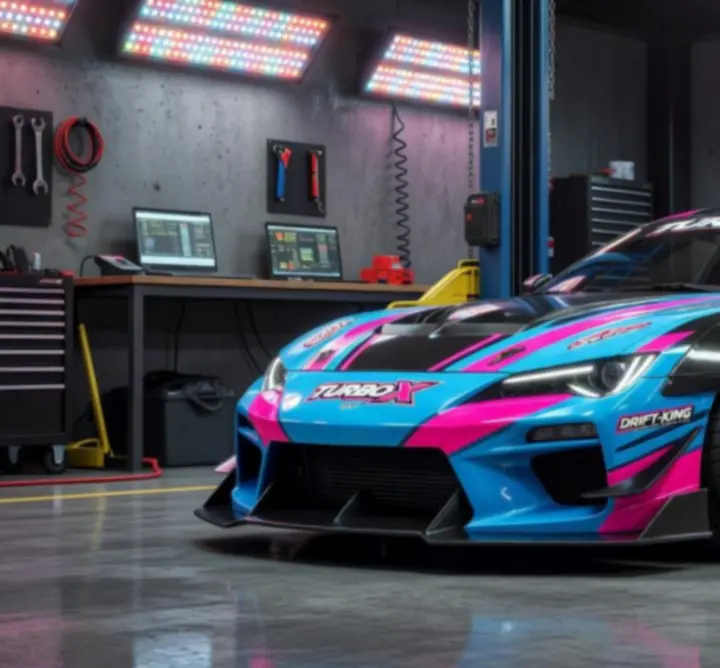
CarX Drift Racing 2 visual tuning garage view showing body kits, paint and vinyl customization options
Visual tuning garage in CarX Drift Racing 2: body kits, vinyl layers, wheels, and paint help you define your drift identity.

Performance Tuning Fundamentals

Performance tuning changes how your car behaves under throttle, braking, and steering. Focus on a balanced setup that is easy to control at your current skill level before chasing extreme angle.

Suspension & Chassis

Suspension defines how weight transfers when you initiate and hold a drift. Softer setups offer smoother transitions and forgiveness, while stiffer setups give precise, aggressive reactions but punish mistakes.

  • Use a slightly softer rear to help initiate slides.
  • Keep the front stable to maintain steering feedback.
  • Avoid extreme values until you understand each parameter.

Tires & Differential

Tires and the differential control how grip is distributed. They are key to predictable drifts and stable exits out of corners.

  • Match tire compound to your target speed and track layout.
  • Adjust pressure to fine-tune grip vs. slip.
  • Use a strong locking differential for consistent twin drifting.

Powertrain & Gearing

The engine, turbo, and gearbox determine how power is delivered to the wheels. Aim for a gear spread that keeps the engine in its effective range throughout your main drift sections.

  • Increase power gradually as your control improves.
  • Shorten gears for tight technical tracks.
  • Lengthen gears for fast, flowing layouts.
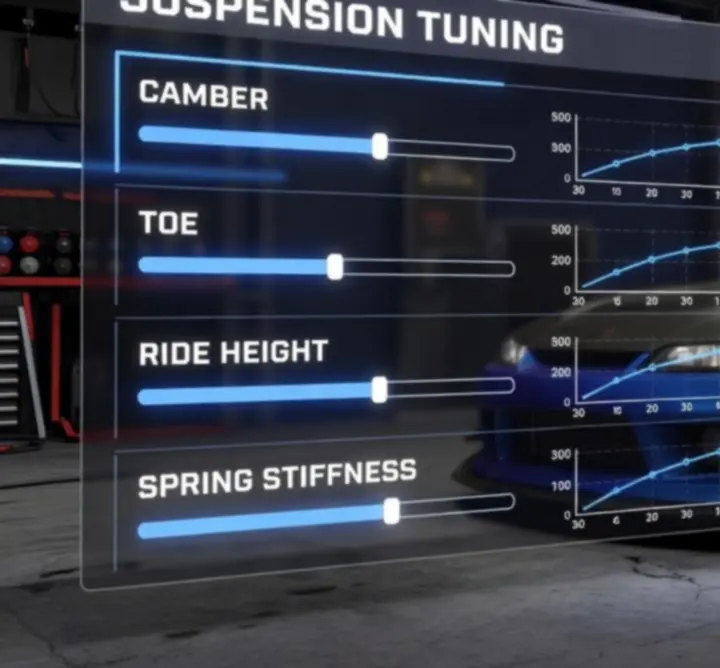
Suspension tuning interface in CarX Drift Racing 2 showing camber, toe, ride height and spring settings
Suspension tuning menu: adjust camber, toe, ride height, springs, and damping to shape your drift handling.

Suspension Setup Explained

Suspension tuning in CarX Drift Racing 2 focuses on how the car leans, compresses, and transfers weight while drifting. Small changes to camber, toe, ride height, and spring stiffness can dramatically affect initiation, angle, and stability.

Key Parameters

  • Camber: Negative camber increases lateral grip while sideways but can reduce straight-line traction. Use slightly more negative camber in the front for sharper steering and controlled front-end grip.
  • Toe: Front toe-out helps the car turn in quickly and initiate drifts with less steering input. Rear toe-in adds stability and makes the car track predictably through long corners.
  • Ride Height: Lowering the car reduces weight transfer and body roll, improving responsiveness. Avoid going so low that bumps cause sudden loss of grip.
  • Springs & Damping: Softer springs and dampers allow more body movement, making the car feel forgiving. Stiffer settings keep the chassis flat and direct but can cause snap oversteer if pushed too far.

Start with a balanced baseline: moderate negative camber, slight front toe-out, mild rear toe-in, and medium stiffness. Test on a familiar track, then refine one parameter at a time while paying attention to how easily the car initiates, how it holds angle, and how it behaves during transitions.

Adjusting Tire Pressure & Compounds

Tires are your only contact with the track, so their pressure and compound settings are crucial for controlling the balance between grip and slide in CarX Drift Racing 2.

Tire Pressure

Lower pressures increase the contact patch, giving more grip and a smoother, slower slide. Higher pressures reduce grip, making it easier to break traction but harder to control at extreme angles.

  • Use lower rear pressure for stable, controlled drifts with gentle transitions.
  • Increase front pressure slightly if the car feels too grabby during steering corrections.
  • Avoid extreme pressure differences; they can cause unpredictable snaps.

Tire Compounds

Different compounds behave better on specific track types and surface conditions:

  • Hard compounds: Less grip, longer slides, suited for high-speed, flowing layouts.
  • Medium compounds: Balanced option for mixed-speed tracks and learning consistent drift lines.
  • Soft compounds: Highest grip, ideal for tight technical sections or when you need precise angle control.

Match your tire choice to the event: use more grip for competitive XDS-style runs where precision matters, and slightly looser setups for fun online rooms where big angle and long smoke trails are your priority.

Practical Tire Setups

Use these as starting points, then refine them to your taste:

  • Beginner Stability: Medium compound, low–medium pressure all around, slightly lower rear pressure for easier control.
  • Technical Tracks: Soft compound, moderate pressure, focus on grip to maintain tight clipping points.
  • High-Speed Style Runs: Hard or medium compound, a little more pressure, prioritizing long, controlled slides.
Learn More About Drift Mechanics
Engine and powertrain tuning interface in CarX Drift Racing 2 including turbo and gear ratio settings
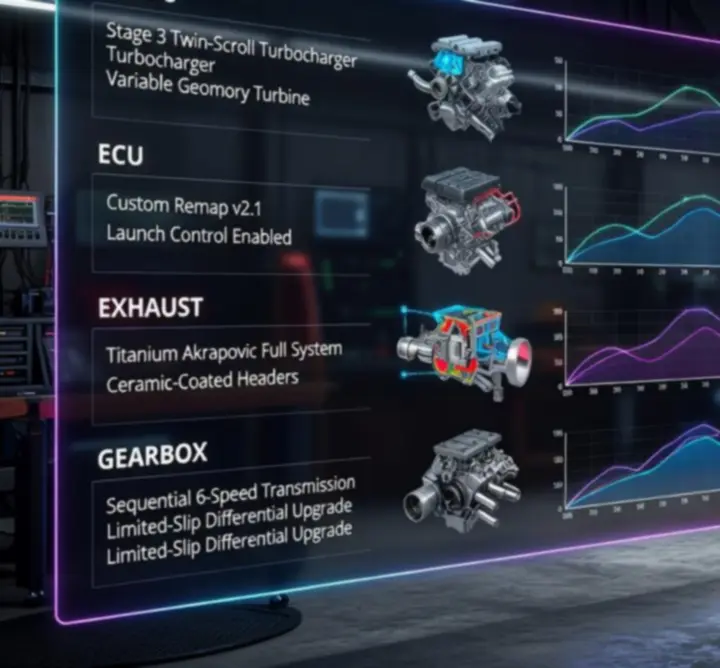
Engine and gearbox tuning: adjust power, turbo boost, and gear ratios to control acceleration, wheelspin, and top speed.

Powertrain & Engine Modifications

Powertrain tuning in CarX Drift Racing 2 controls how aggressively your car delivers torque to the rear wheels. The goal is to have enough power to maintain angle without creating uncontrollable wheelspin.

Engine & Turbo

Upgrading power and turbo pressure increases acceleration and smoke but can expose weaknesses in your suspension or tire setup.

  • Raise power gradually as your control and grip improve.
  • Use a smoother power curve for beginners to avoid sudden torque spikes mid-drift.
  • Combine higher power with grippier tires and a stable suspension for competitive runs.

Gear Ratios & Gearbox Type

Gear ratios determine how quickly your engine climbs through the rev range. A well-chosen ratio lets you stay in one or two gears for an entire section of track.

  • For tight layouts, shorten gears so that 2nd or 3rd gear provides strong pull out of low-speed corners.
  • For fast tracks, lengthen gears to avoid constant bouncing on the limiter during long drifts.
  • Choose a gearbox type that suits your style: closer ratios for precise competitive lines or slightly wider spreads for casual rooms.

Revisit your powertrain after changing tire compounds or suspension. Increasing grip often allows you to safely add more power, increasing speed and style points without sacrificing control.

Saved Setups & Presets

CarX Drift Racing 2 lets you save multiple tuning setups per car, making it easy to switch between builds for practice sessions, online tandem rooms, or competitions. Using presets effectively helps you adapt quickly to new tracks and conditions.

Why Use Multiple Setups?

  • Practice Setup: Extra grip, smoother transitions, slightly less power. Ideal for learning lines and testing new tracks.
  • Competition Setup: Precise steering, optimized tires, and stable power delivery tuned for consistent high scores.
  • Style/Fun Setup: More angle, looser rear, and dramatic visuals for relaxed rooms with friends.

When you are happy with a configuration, save it with a clear name such as “Track - Layout - Role (Lead/Chase)”. This makes it easy to grab the right setup when you join an online room or replay a favorite layout.

Keep notes on what each preset does best. Over time you will build a library of proven tunes that you can adapt to new cars or updated physics.

Preset Management Tips

  1. Clone before changing: Duplicate a working tune before experimenting so you never lose a stable baseline.
  2. Link to tracks: Match presets to specific tracks or room types (solo practice, tandems, competitions).
  3. Test in multiplayer: Validate your setups against real players and adjust if you struggle to keep proximity or speed.
Tuning for Online Rooms
Advanced tuning setup screen in CarX Drift Racing 2 with detailed sliders for competitive drifting
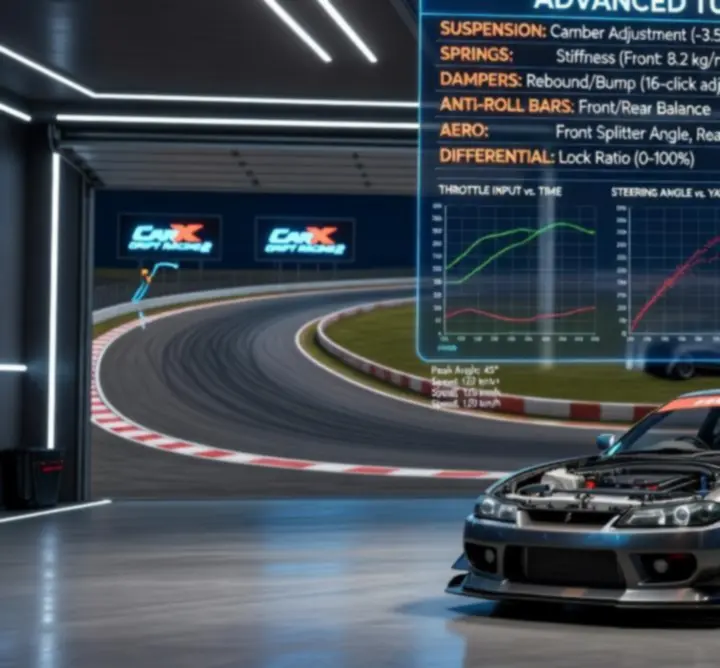
Advanced tuning view: synchronize suspension, tires, and power for competitive and tandem drift runs.

Advanced Tuning Tips

Once you understand the basics, you can chase competition-grade setups inspired by top community players. Advanced tuning is about balance: every change should support a clear goal such as better chase proximity, smoother transitions, or higher XDS scores.

Expert-Level Principles

  • Sync front and rear grip: Too much front grip compared to rear will cause sudden spins, while the opposite leads to lazy steering. Adjust camber, toe, and compound to keep both ends working together.
  • Tune for role (lead vs. chase): Lead cars can run slightly more power and angle. Chase cars benefit from a touch more grip and stability to stay close without collisions.
  • Stabilize transitions: If the car snaps when you change direction, soften rear damping slightly or increase rear toe-in, then fine-tune tire pressures.
  • Control entry speed: Use gearing and brake balance to approach corners with consistent speed, giving you reliable initiation points lap after lap.

Record replays of your runs and watch them back to spot instability, shallow angles, or sections where you lose speed. Adjust your tune to solve specific issues rather than changing settings at random.

Go to Advanced Drift Strategies

How Tuning Influences Your Drifting Experience

Every tuning decision in CarX Drift Racing 2 appears on the scoreboard and in your replays. Smart changes lead to smoother lines, better style, and higher scores.

Scenario 1: Spinning on Initiation

If your car spins as soon as you throw it into a corner, you are likely running too much rear looseness or an overly aggressive power delivery.

  • Increase rear grip slightly (pressure, compound, toe-in).
  • Soften rear damping to smooth weight transfer.
  • Reduce sudden power spikes via engine or turbo settings.

Scenario 2: Car Will Not Hold Angle

If the car straightens out or loses angle mid-corner, you might lack rear grip or be running gears that force awkward shifts.

  • Add a bit more power or reduce rear grip very slightly for easier slides.
  • Check that your main drift gear keeps the engine in its strong rev range.
  • Tune suspension so that rear stays loaded and predictable.

Scenario 3: Inconsistent XDS Scores

When your XDS results fluctuate, your tune may be too reactive, forcing you to make constant corrections that cost style and proximity.

  • Simplify: dial back extreme settings and prioritize stability.
  • Match your tune to a single track, then refine line and clipping points.
  • Use saved presets to separate fun builds from serious competition setups.

Combine the tuning knowledge from this page with in-game practice, and review our dedicated sections for drift mechanics and multiplayer strategy to complete your CarX Drift Racing 2 toolkit.